Watch TV tonight.
A full year for under $99*
One small setup — a streaming stick, an antenna and free channels — replaces your cable box. Free classic TV channels like MeTV and Grit, 24/7 sitcom and western channels, local networks and thousands of free episodes, from tonight.
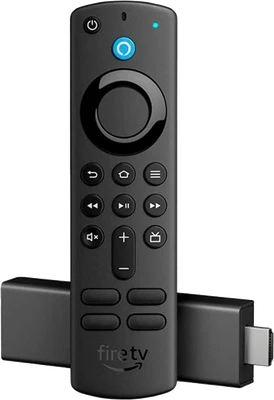
*Based on the one-time cost of a Fire TV Stick 4K and an indoor HD antenna at typical prices — check today's price. Free channels vary by area. Paid apps like Netflix are optional and extra.
Your first year, added up
Best free classic TV apps →Prices change often and deals come and go — the buttons show today's price on Amazon. Compare that with a typical cable bill every month.
What you can watch tonight
Free sub-channels like MeTV, Antenna TV, Grit and Buzzr play sitcoms, westerns and game shows all day — your antenna picks them up.
Your local stations in HD, often sharper than cable, with no subscription.
Thousands of films and full series seasons on free, legal apps like Tubi and Pluto TV.
Free apps have channels that play one classic series nonstop — like flipping to a rerun after school.
Set it up in 3 steps
HDMI port + power, connect Wi-Fi, sign in. About 10 minutes.
Plug it into your TV's antenna input, place it near a window and run a channel scan.
Add Pluto TV, Tubi and The Roku Channel from the app store — see our free classic TV apps guide. Done.
Frequently asked questions
Is it really under $99 for the whole year?
Yes, if you use free channels: the only costs are the streaming stick and the antenna, paid once. There is no monthly fee for over-the-air channels or free ad-supported apps. Paid services such as Netflix or a live TV service are optional extras.
Is this legal?
Completely. Over-the-air broadcasts are free by law, and apps like Pluto TV, Tubi and The Roku Channel are licensed and supported by ads.
Will the antenna work where I live?
Most US homes can receive several local stations. Reception depends on your distance from the broadcast towers — check a free signal map before you buy, and place the antenna high and near a window.
Can I still add ESPN or cable channels later?
Yes. The Fire TV Stick runs every major live TV app, so you can add one any month and cancel anytime. See our antenna network guide for the free channels first.
Retro Tube may earn a commission from purchases made through links on this page, at no extra cost to you. Disclosure.